

Transferring shares “off-market” (between Demat accounts) used to require submitting a physical Delivery Instruction Slip (DIS) at a branch. Motilal Oswal has introduced a new E-Off Market Instruction module on its web platform, allowing CDSL clients to initiate these transfers digitally.
Whether you are gifting shares to a family member or moving your portfolio, here is how you can do it from the comfort of your home
Phase 1: Accessing the E-Off Market Module
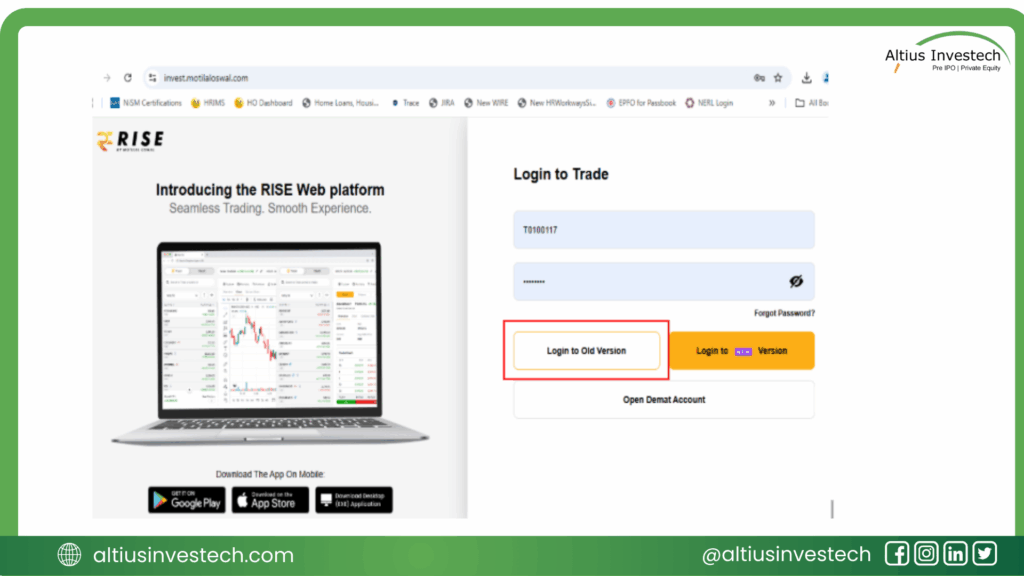
Step 1: Login to the Platform
- Go to the Motilal Oswal website:
https://invest.motilaloswal.com/. - Enter your Login ID and Password. Crucially, you must click on “Login to Old Version” as this facility is only available there.
Step 2: Navigate to Reports
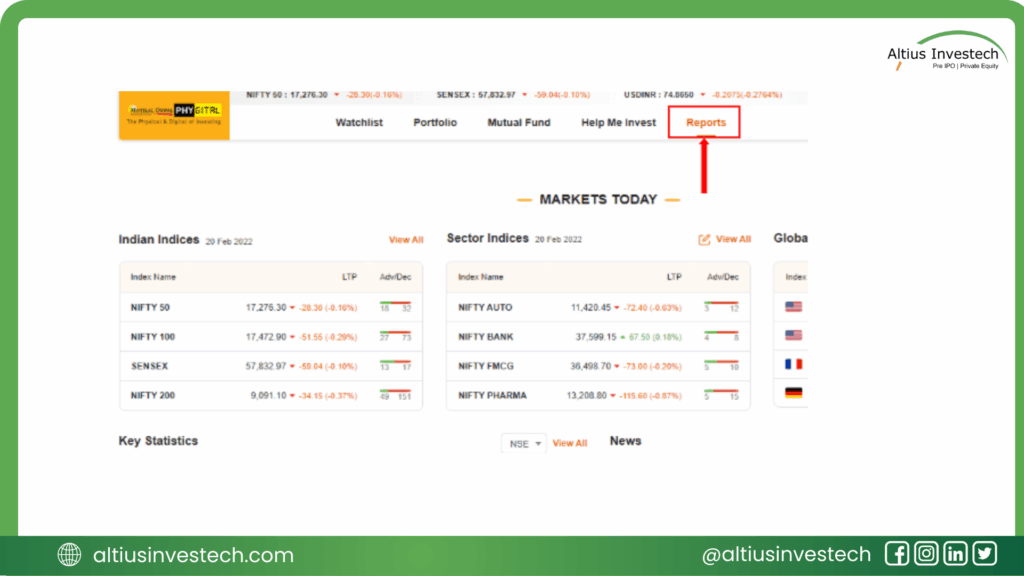
- Once logged in, look at the top menu bar and click on ‘Reports’.
Step 3: Access Demat Holdings
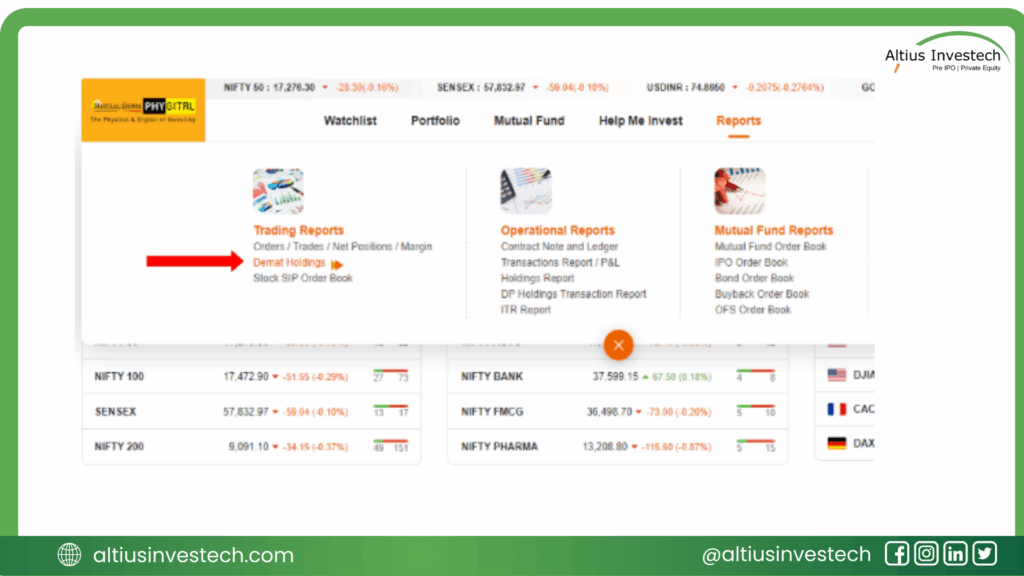
- A dropdown menu will appear under Reports. Select ‘Demat Holdings’.
Step 4: Launch E-Off Market
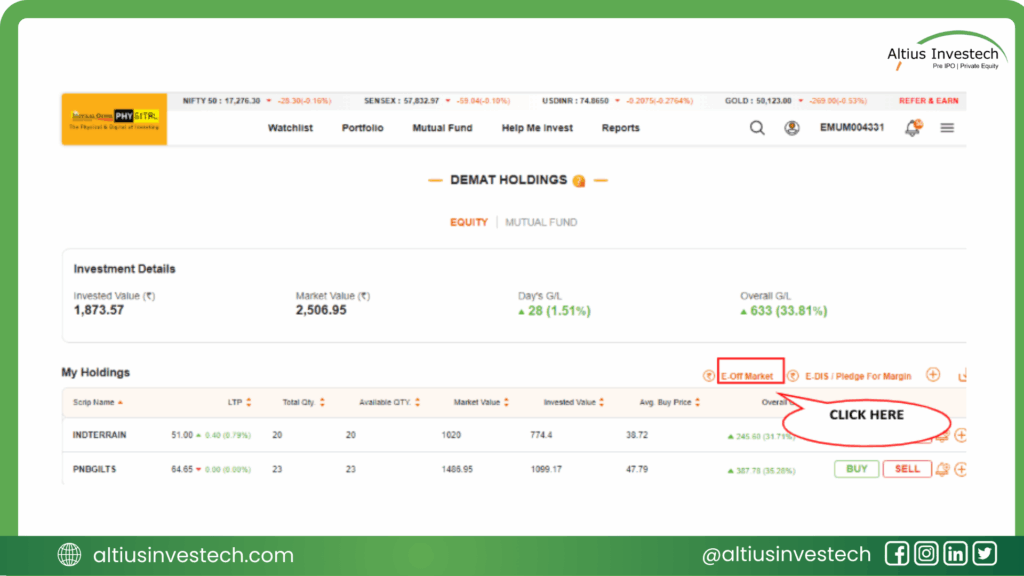
- On the Demat Holdings page, you will see your portfolio. Look for the ‘E-Off Market’ option (usually near the top right of the holdings list) and click it.
Phase 2: Adding a Beneficiary (One-Time Process)
Before transferring shares, you must add the receiver’s account details.
Step 5: Fill Beneficiary Details
- Click on the ‘Add Beneficiary’ tab.
- Enter the following details:
- DP ID of Beneficiary: The 16-digit ID is split into two parts. The first 8 digits (DP ID) might auto-populate if it’s an MOFSL account (In case of Non-MOFSL account, both counter DP ID of the Beneficiary and Beneficiary DP Name, will have to be entered). The last 8 digits (Client ID) must be entered manually.
- Beneficiary DP Name: Enter the name of the Depository Participant (e.g., Motilal Oswal, Zerodha, etc.).
- Beneficiary Name & PAN: Enter the receiver’s name and PAN number.
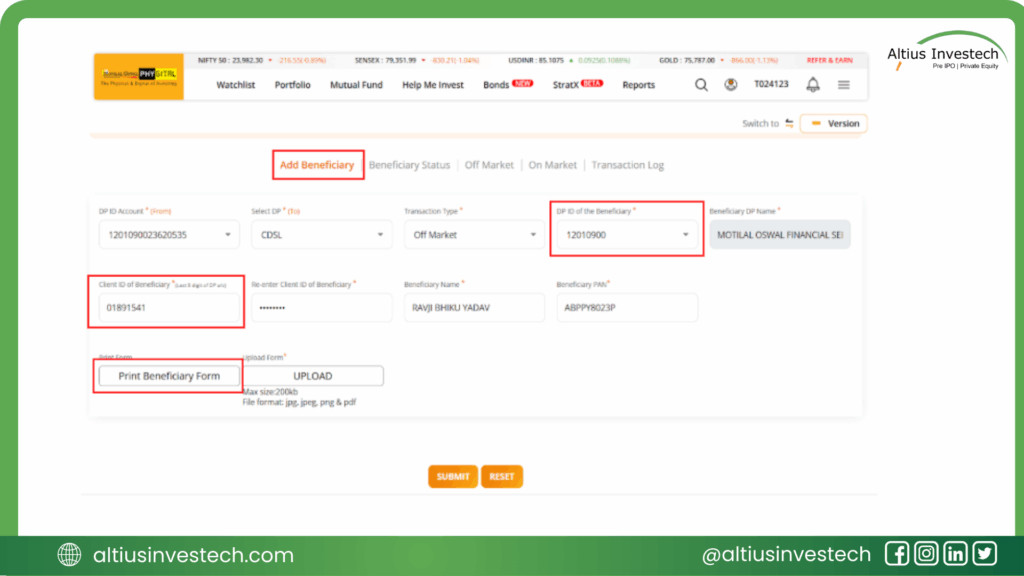
Step 6: Generate & Upload Form
- Click on ‘Print Beneficiary Form’.
- A pre-filled form will be generated. You need to print it, sign it, and then scan/take a photo of it.
- Upload the signed file (JPEG, PNG, or PDF, max size 200kb) back onto the portal and click SUBMIT.
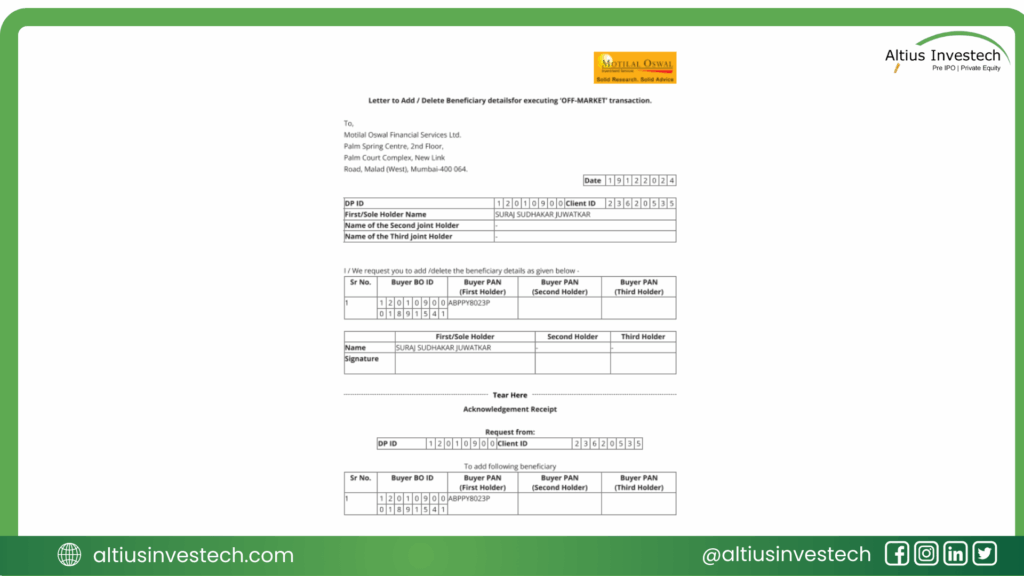
Step 7: Verification
After submission, the status will show as PENDING-HO VERIFICATION PENDING.
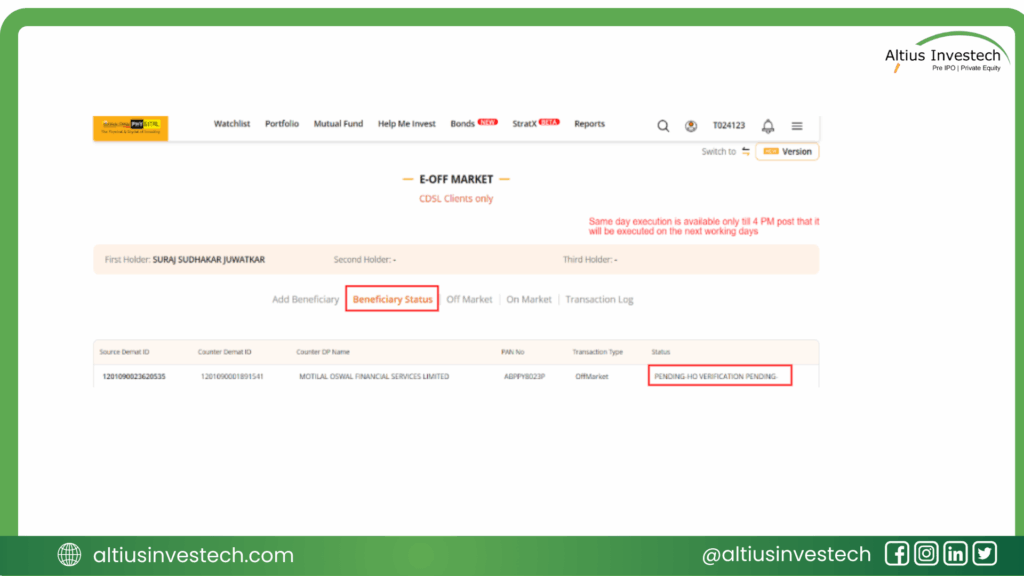
Once the Head Office approves it (within 2 working hours) and you complete the OTP authentication, the status will change to ACTIVE.
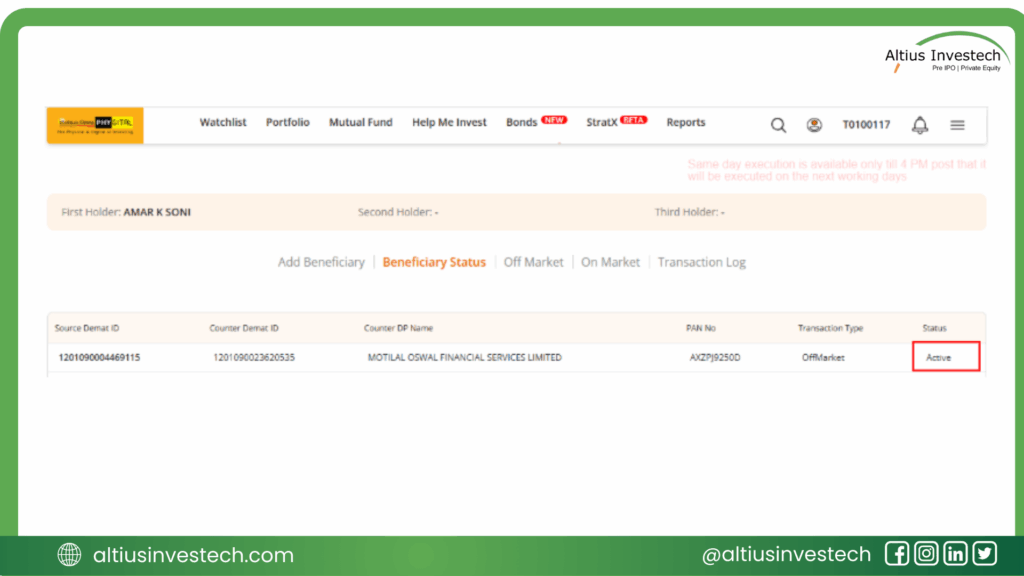
Phase 3: Executing the Off-Market Transfer
Step 8: Initiate Transfer
- Go to the ‘Off Market’ tab.
- Select the Execution Date and choose the Target Beneficiary you just added.
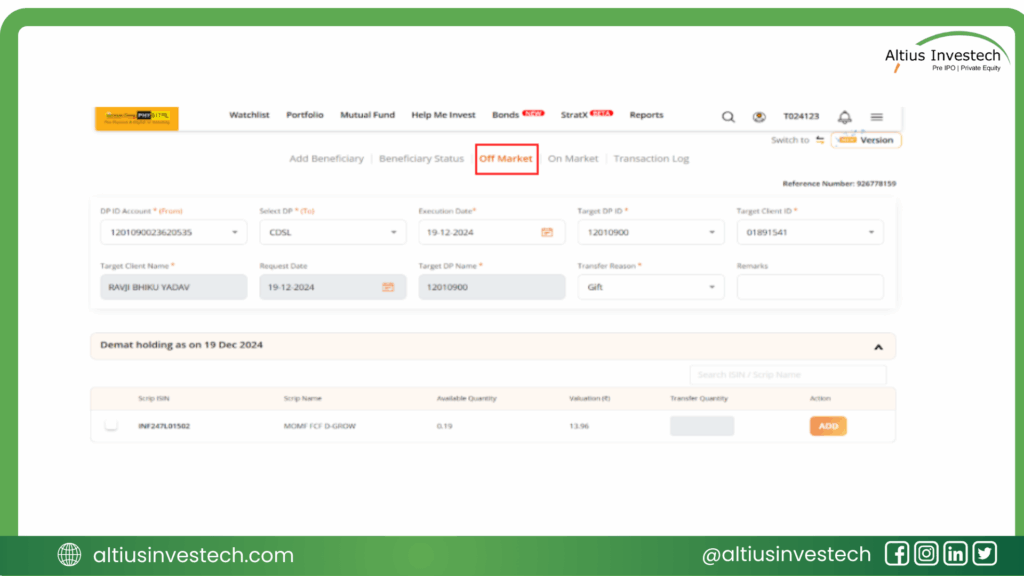
Step 9: Select Reason
- Choose a Transfer Reason from the dropdown:
- Gift: Use this for transfers without payment.
- Off-Market Sale/Purchase: If selected, you must enter payment details
- Payment Mode – To be selected from drop-down as Cheque, Electronic or Cash Payment
- Consideration Amount – To be entered
- Date of Issue (in DD-MM-YYYY format) – To be selected
- Cheque / Ref No. – To be entered
- Bank Account No. – To be entered (Transferee’s Bank Account No.)
- Bank Branch Name – To be entered (Transferee’s Bank’s Branch Name)
- Transferee Name – To be entered
- Bank Account Name – To be entered (Transferee’s Bank Account Name)
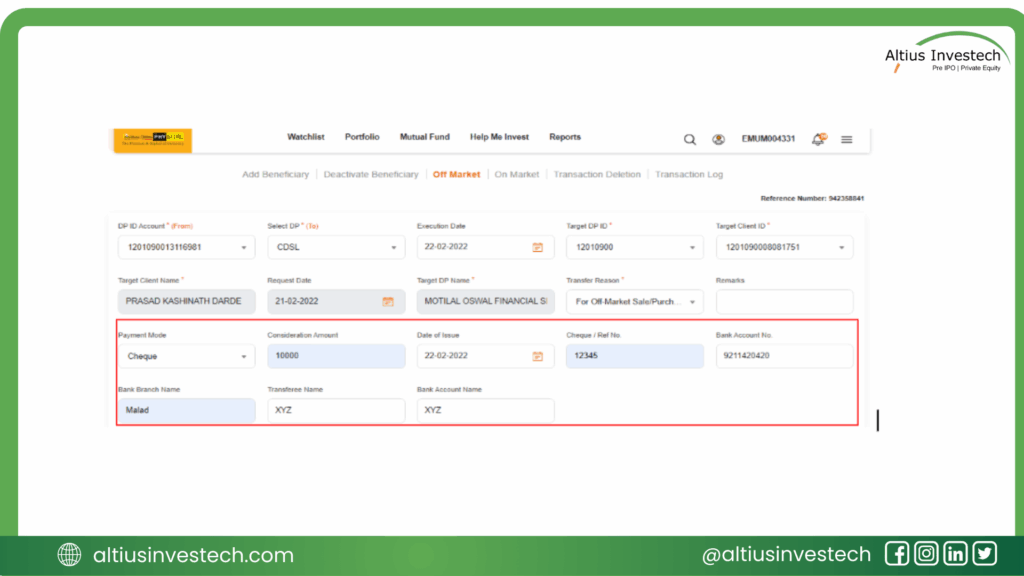
Step 10: Select Shares
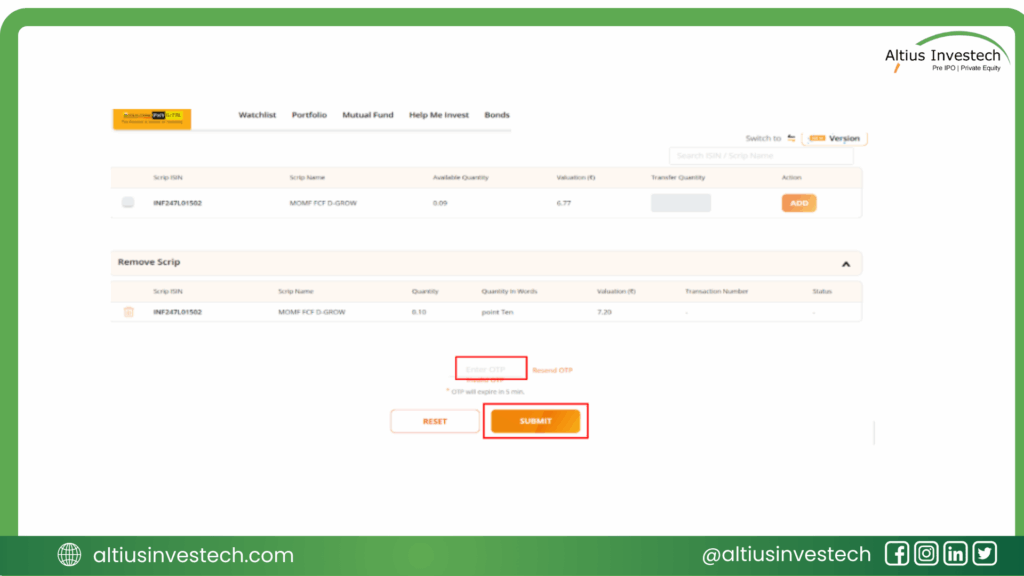
- Your current holdings will be displayed at the bottom. Select the scrip you want to transfer.
- Enter the Transfer Quantity and click ADD.+1
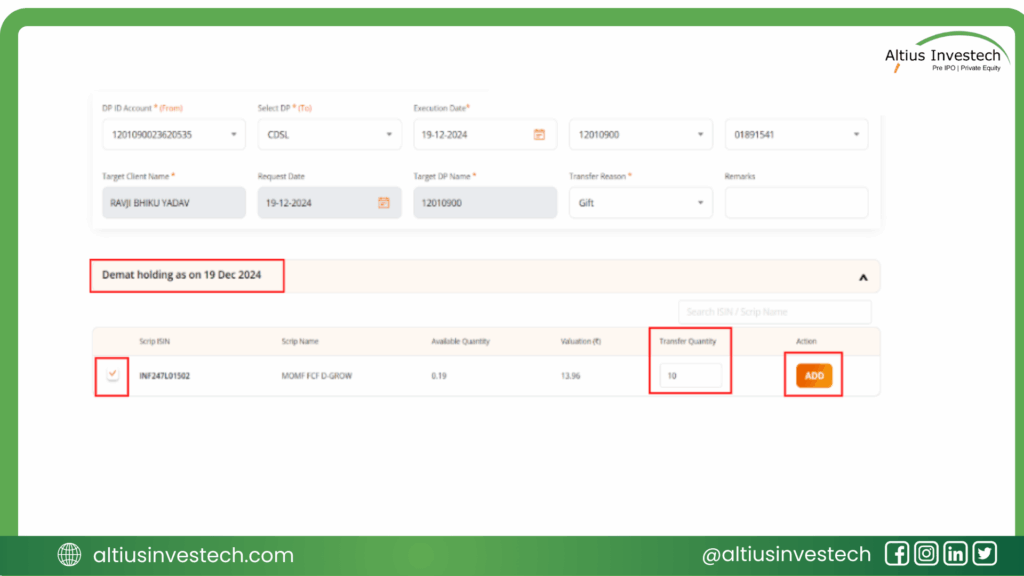
Step 11: Confirm & OTP
- Click on SAVE & GENERATE OTP.
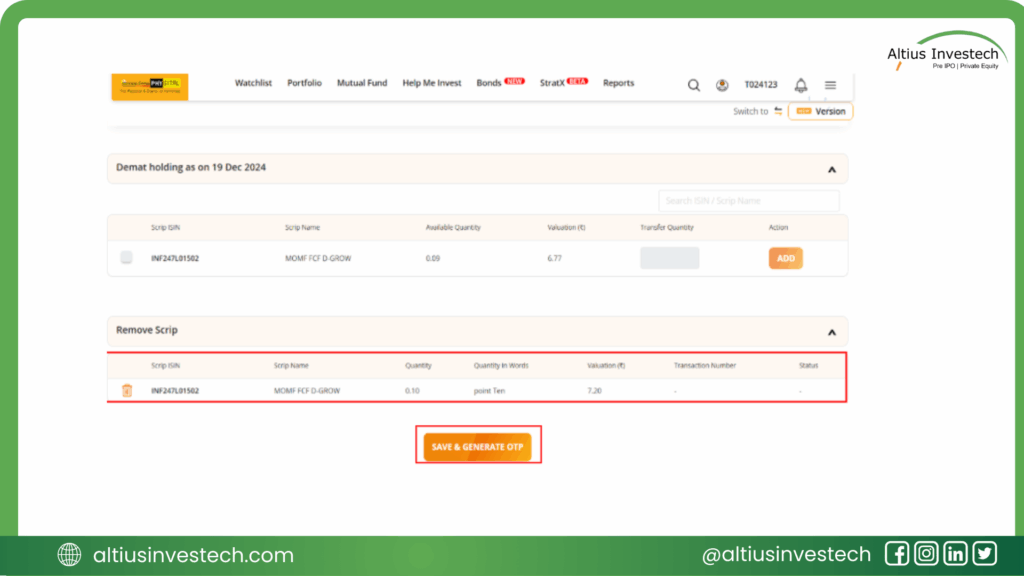
- Enter the OTP sent to your registered mobile/email (valid for 5 minutes) and click SUBMIT.
- You will see a success message: “Action successfully performed”.
Phase 4: Tracking Status
Step 12: Check Transaction Log
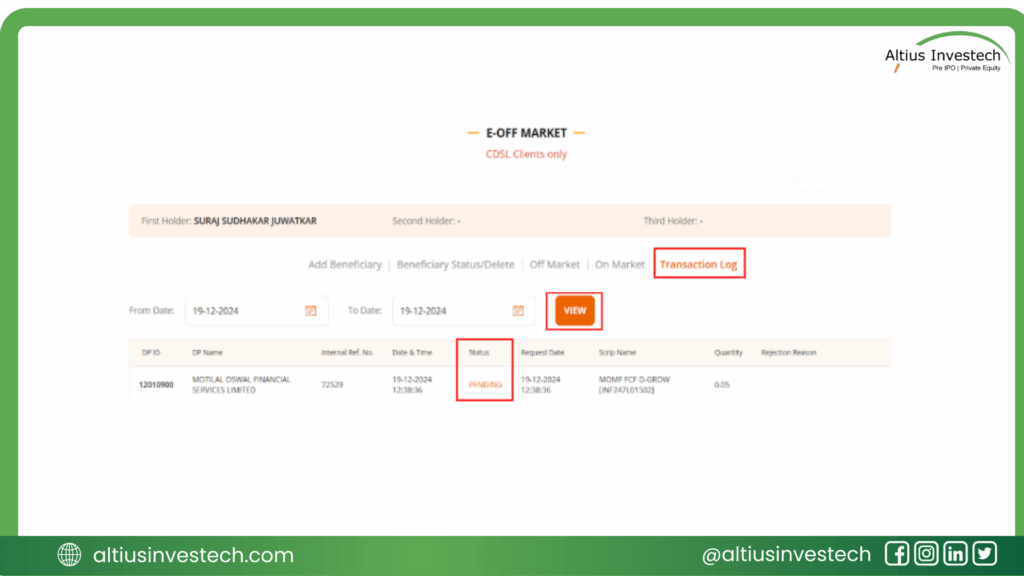
- To see if your transfer was successful, go to the ‘Transaction Log’ tab.
- Click VIEW to see your request history.
- PENDING: Request is being processed.
- COMPLETE: Request approved by Head Office.
- REJECTED: Request failed; check the “Rejection Remark” column for reasons.

Explore exclusive opportunities by logging in to Altius Investech today!
GET IN TOUCH WITH US:
For any query/ personal assistance feel free to reach out at support@Altiusinvestech.com or call us at +91-8240614850.
Learn, more about Unlisted Company.
Join our Whatsapp Channel: The Market Buzz by Altius
📜 Disclaimer
(Data as of July 29th, 2025, from public sources & altiusinvestech.com. For educational purposes only; not investment advice. Altius Investech is not SEBI-registered; investors should do their own due diligence.)